

In the last post we started feeding the AIS700 to AISHub. This one is about the return leg: pulling every vessel AISHub knows about within a couple of hundred miles onto the Raymarine plotters, so we see traffic well beyond VHF range. That’s the half we actually wanted for the Pacific: if we ever need help out there, we know who is around, and we may be able to contact them over the phone.
What you need
- Signal K 2.x, with internet.
- A Yacht Devices YDWG-02 on the NMEA 2000 bus, with one data server set to UDP, RAW protocol, both directions. This plugin talks to that gateway and nothing else.
- An AIS receiver on the same bus.
- An AISHub account, which means feeding them first. That’s the last post.
The plan
Same hardware as last time. Signal K on the Cerbo GX has internet and can poll AISHub’s API. The YDWG-02 can put frames onto the NMEA 2000 bus as well as read them. So: a Signal K plugin that polls AISHub every 61 seconds (their minimum), turns each vessel into the same AIS PGNs a transponder would send (129038/129794 for class A, 129039/129809/129810 for class B), and hands them to the gateway. The plotters draw them like any other target.
That plugin is aishub-to-ydwg, free, in the Signal K app store. Three details matter:
- No duplicates. AISHub returns the boats our own receiver already hears, and Orion herself. The plugin compares AISHub’s timestamp for each vessel with the time of our receiver’s last message from it, read off the bus, and only sends vessels AISHub knows more recently than we do.
- No flicker. AISHub’s replies have holes; a vessel drops out for a poll or three and comes back. The plugin measures each vessel’s own reporting interval and holds it on the bus until AISHub has been quiet for longer than that.
- Nothing back to AISHub. The plugin only ever sends the request. The forwarder is the only thing that transmits, and it only forwards the AIS700, so AISHub’s data can’t be fed back to AISHub.
The bug
Version one handed its PGNs to Signal K’s own NMEA 2000 connection to the gateway, the proper way. Signal K said sent, the gateway said received, the plotters showed almost nothing.
An AIS PGN is a fast-packet message, several CAN frames the gateway reassembles. We sent the same message to the gateway from a laptop every way we could think of and counted what came back on the bus. Signal K’s connection, via canboatjs, sends each frame as its own UDP datagram, back to back, and the YDWG-02 drops roughly every other one. Half a fast-packet is no message. Put all of a message’s frames in one datagram and the gateway never dropped a frame. A second finding from the same runs: a poll’s worth of messages fired back to back, 37 of them, got 13 to 15 confirmed by the gateway; 20 ms apart, 32 to 37 of 37 over nine runs, and no better with longer gaps.
The fix, twice
On Orion
The plugin now talks to the gateway itself, in its RAW protocol: one whole message per datagram, 20 ms apart. That’s the running version, and it’s why the plugin’s name has the gateway’s model in it.
Upstream
The per-frame datagrams live in canboatjs, which every Signal K install uses. Rather than change behaviour for everyone on the strength of one gateway and one plotter, we sent the maintainers pull request 469: an environment variable, ENABLEBATCHFRAMES, that makes the YDWG connection send a message’s frames in one datagram. Unset, nothing changes. Set, they can test it against other gateways and plotters before deciding whether it should be the default. Open and awaiting review at the time of writing.
Result
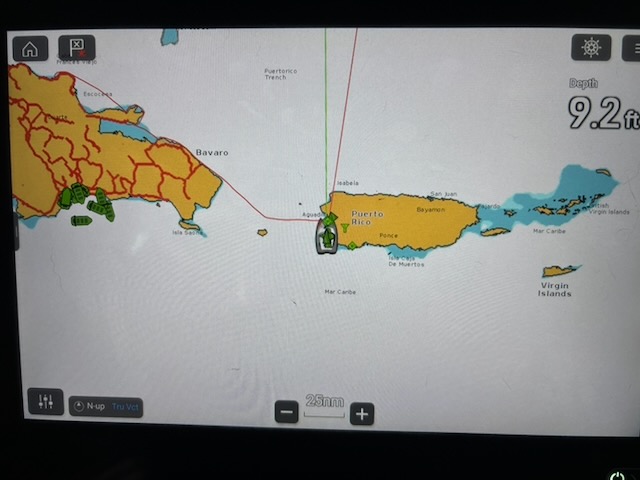
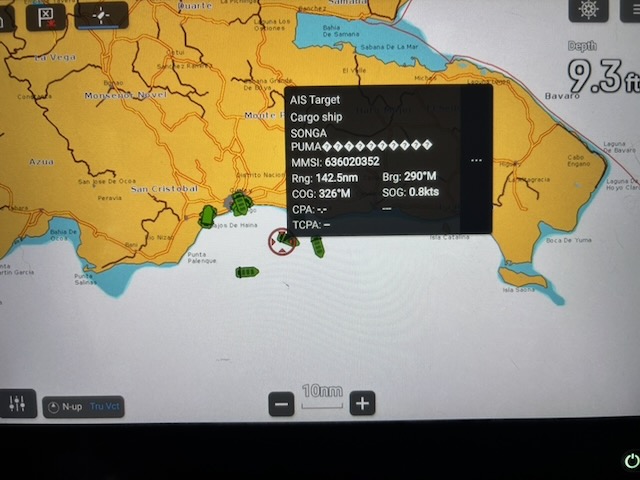
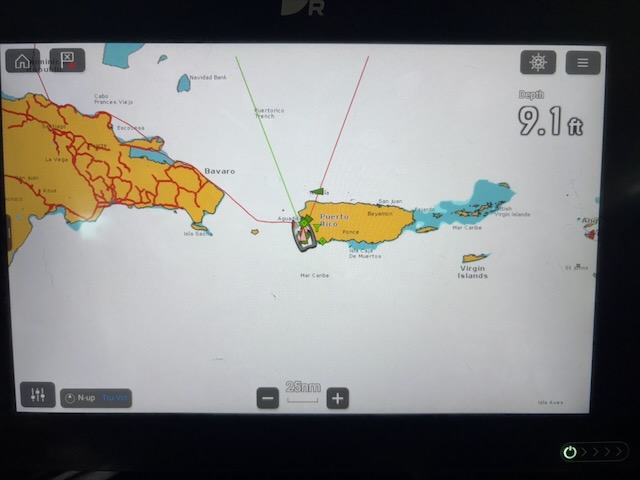
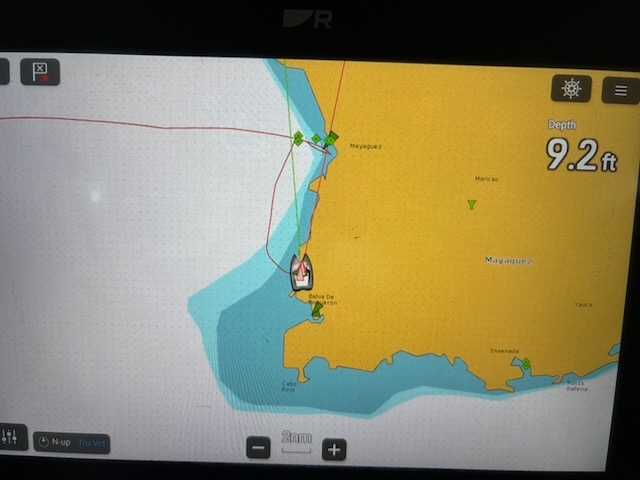
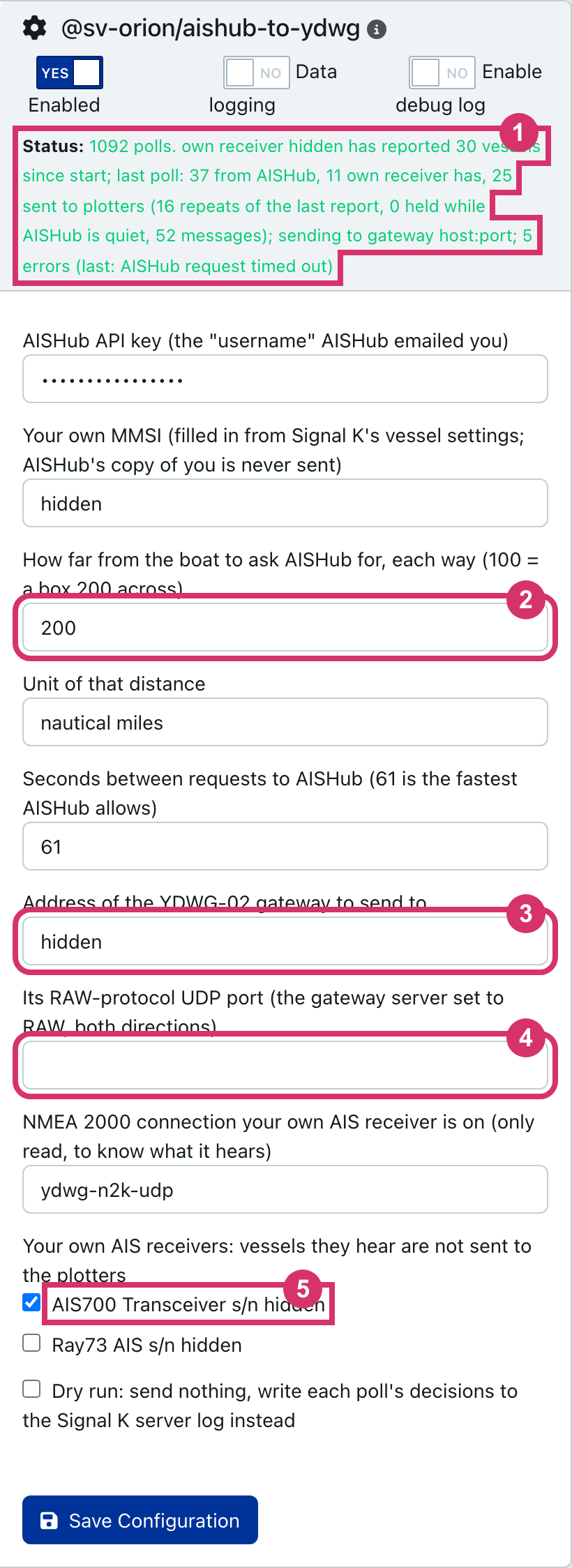
At anchor off western Puerto Rico the AIS700 hears about a dozen vessels. With the plugin running the plotters show nearly forty: ours, plus the tankers, cargo ships and yachts that AISHub’s shore stations hear and we can’t yet, each with name, dimensions, SOG, COG and destination like any other target. The plugin’s status line above is a typical poll: 37 from AISHub, 11 our receiver already has, 25 sent to the plotters.
To do this yourself
Install both plugins from the Signal K app store: ais-n2k-to-0183-forwarder to send and aishub-to-ydwg to receive. Both READMEs have the setup and a dry-run mode that logs every decision instead of sending, which is the place to start.
No YDWG-02?
We only have a YDWG-02, so that’s the only gateway this plugin talks to. Some Cerbo owners skip the gateway and plug the Cerbo straight into the NMEA 2000 backbone with Victron’s VE.Can to NMEA 2000 cable. We’d be up for writing a third plugin for that setup, but we can’t test it on Orion. If that’s your boat and you’d help us test it, get in touch.